
Window
Create and configure windows for Ophyn UI
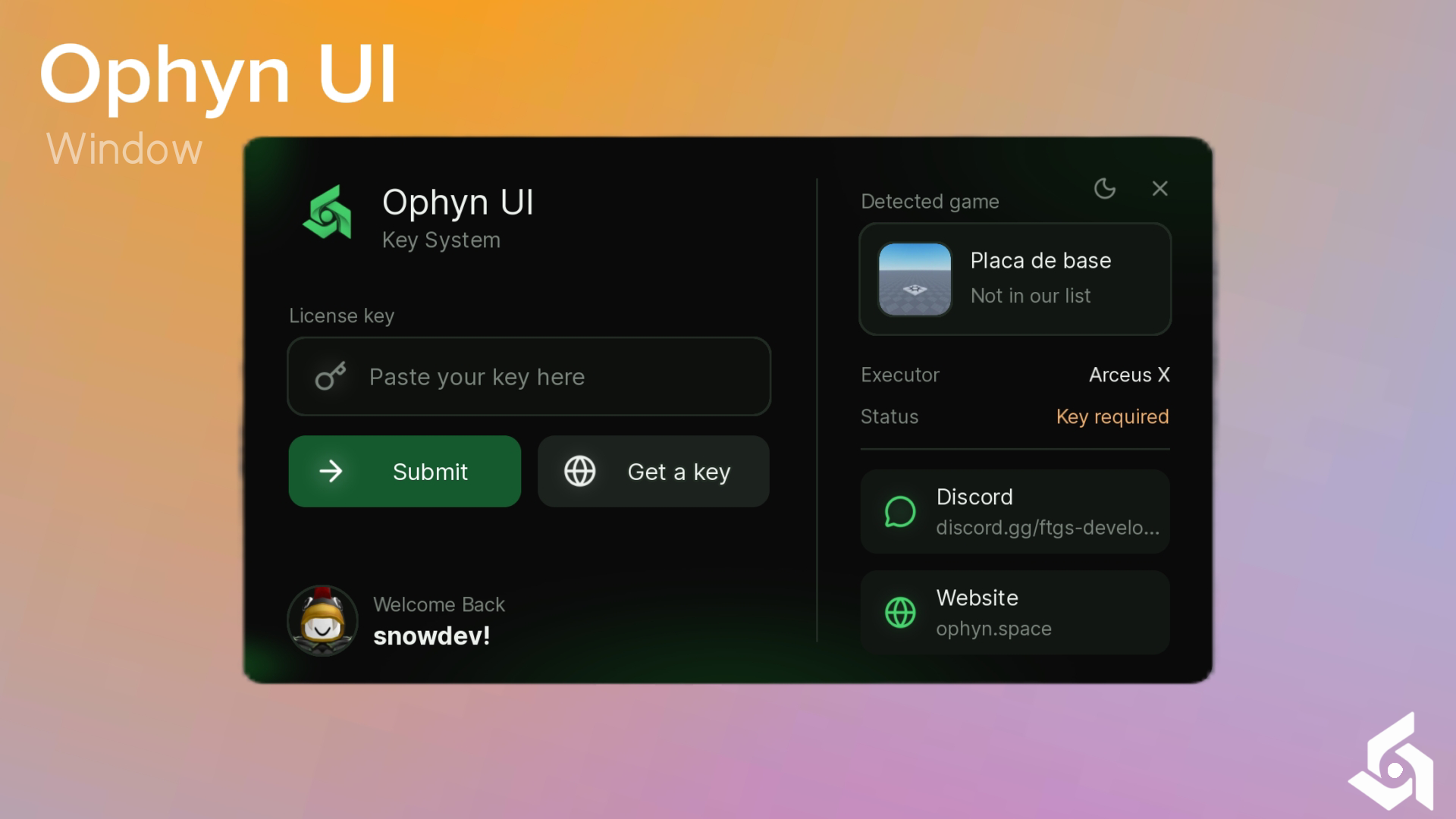
local Ophyn = loadstring(game:HttpGet('https://ophyn.space/interface'))()

Ophyn.new({
    -- Window
    Title = "Ophyn",
    Description = "Key System",
    Logo = "rbxassetid://111673746737789",
    Theme = "Plant-Dark",
    Folder = "Ophyn-KSY",

    -- Buttons
    getkey = true,

    -- Intro
    Intro = "true",
    startintro_size = 80,
    squareintro_time = 1.2,

    -- Appearance
    Changelogocolor = true,
    Changeiconscolor = true,
    ChangeTheme = true,
    NotifStyle = "1",
    TabsStyle = "1",

    -- Links
    discord_link = "discord.gg/yourcode",

    -- Cards
    Discord = "true",
    Website = "false",

    -- Games (PlaceId = true)
    SupportedGames = {
        [1234567890] = true,
    },

    -- Key System (see the Services page for API examples)
    KeySystem = {
        Key = {"1234", "5678"},
        SaveKey = false,
    },

    -- Script (runs after the key is validated)
    Callback = function(key)
        -- your script here
    end,
})
Properties
Window
Main name of the hub, shown at the top of the window. Long names are cut with an ellipsis.
Title = "Ophyn"Subtitle displayed right below the title.
Description = "Key System"Logo shown next to the title. Use an asset id string. If it is invalid, the built-in logo is used.
Logo = "rbxassetid://111673746737789"Color theme of the window. If the name does not exist, Amethyst is used instead.
Theme = "Plant-Dark"Workspace folder used by the UI. The saved key file inside it gets a generated hash as its name.
Folder = "Ophyn-KSY"Buttons
Shows or hides the Get a key button.
getkey = trueIntro
Turns the opening animation on or off. When false, the window fades in when it opens and fades out when it closes, without the square animation. The 3 second loading step (used to load images and icons) always runs and cannot be changed; with Intro off the window stays hidden during it.
Intro = "false"Initial size of the square in the opening animation. Only used when Intro is on.
startintro_size = 80Duration of the square animation of the intro, in seconds. Only used when Intro is on.
squareintro_time = 1.2Appearance
Tints the logo with the color of the current theme.
Changelogocolor = trueTints the icons with the color of the current theme.
Changeiconscolor = trueVisual style of the notifications shown by the UI. Use the number or the name of the style. It can also be changed at any time with Ophyn:SetNotifStyle.
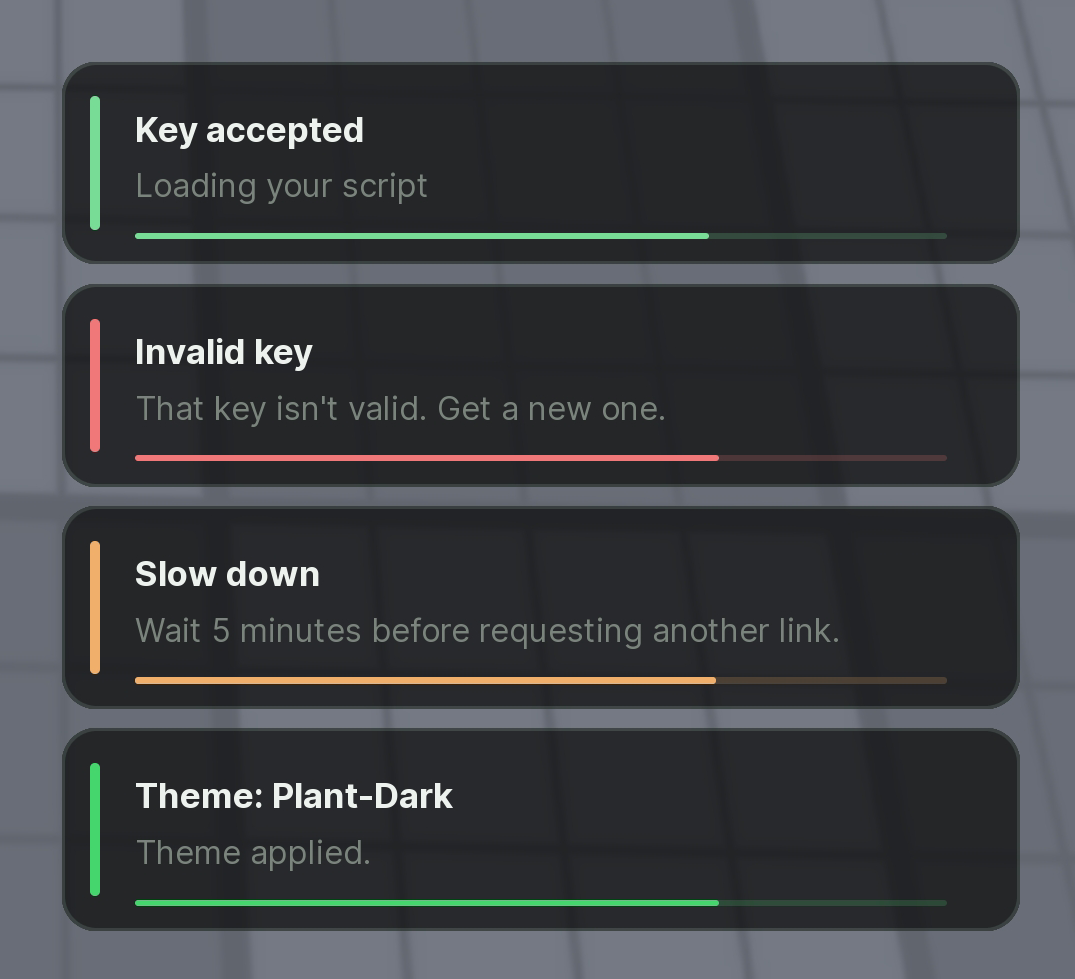
Stripe
"1""stripe"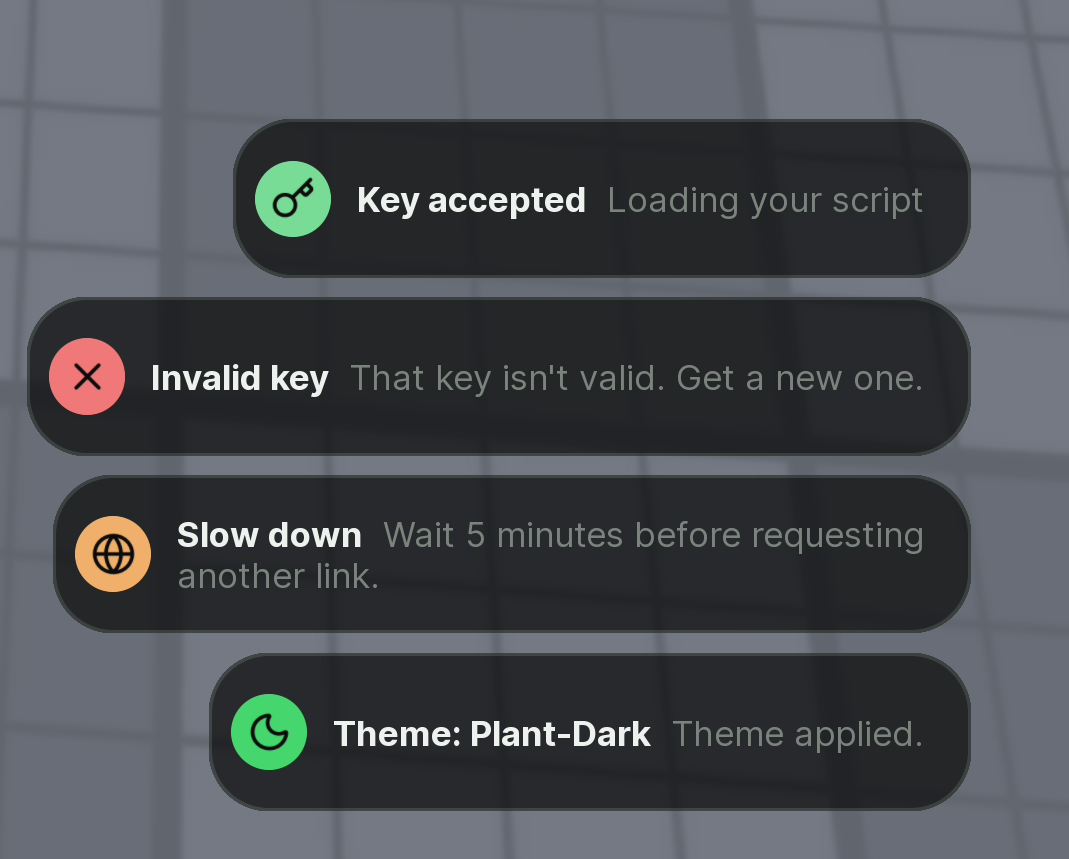
Pill
"2""pill"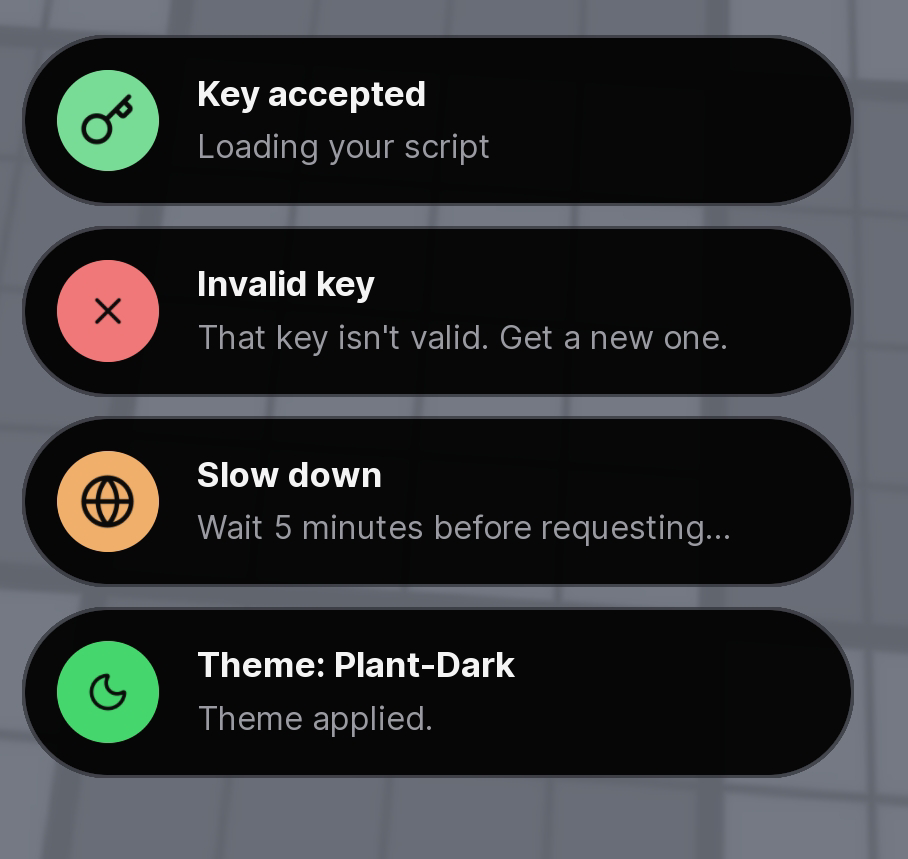
Island
"3""island"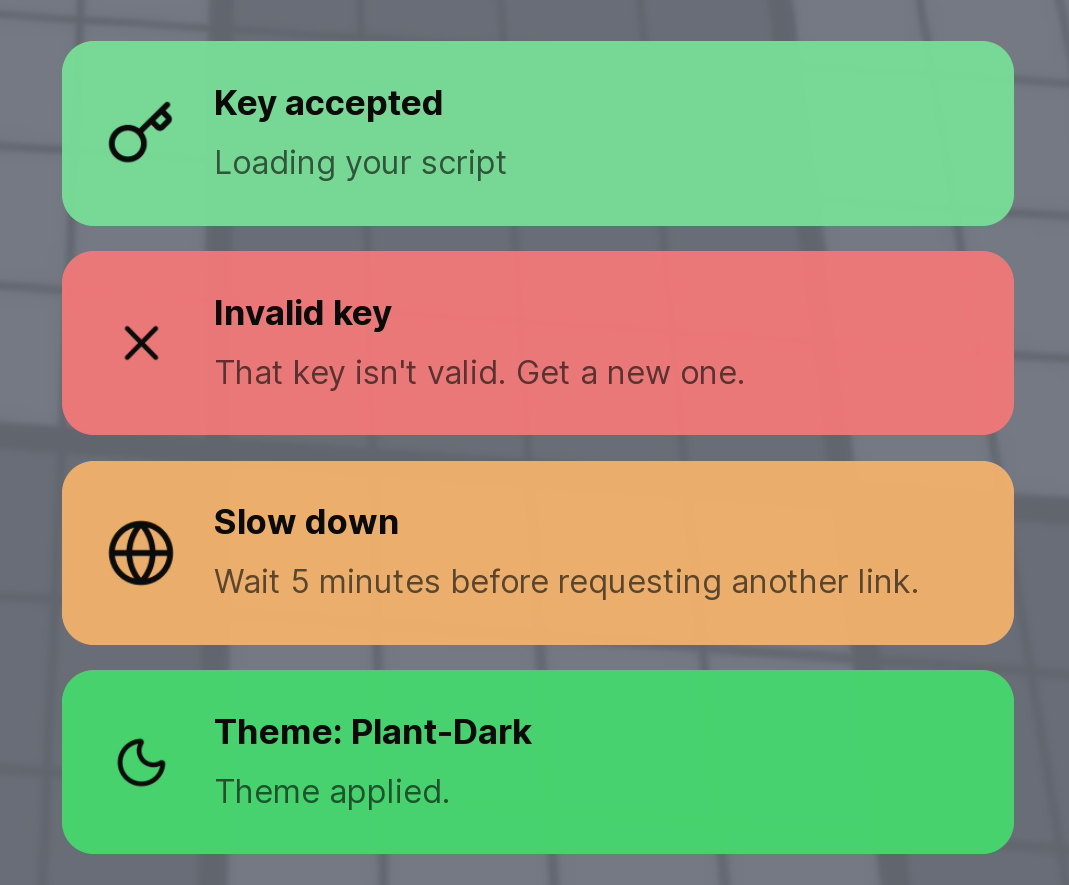
Solid
"5""solid"NotifStyle = "3"Shows the moon button in the topbar that lets the player switch the theme. Use "false" to disable it and hide the button.
ChangeTheme = "false"Layout of the Tabs on the page that opens below the Key System (see the Tabs page). Style 1 puts the Tabs in a column on the left, style 2 puts them in a row right under the topbar. It can also be changed at any time with Ophyn:SetTabsStyle.
TabsStyle = "2"Links
Discord invite (full link or just the code). Shows Not Configured while empty.
discord_link = "discord.gg/yourcode"Website link used by the Website card. The card is only shown when Website is enabled.
website_link = "https://yoursite.com"Cards
Shows or hides the Discord card. When Discord is the only card enabled (Website off) and discord_link is set, the card opens by itself when the UI launches, to fill the space left by the Website card.
Discord = "true"Shows or hides the Website card, which uses website_link. Turn it on with Website = "true".
Website = "true"Games
List of games your script supports, indexed by PlaceId. The Detected game card shows Supported when the current PlaceId is in the list, and Not in our list when it is not.
SupportedGames = {
    [1234567890] = true,
    [9876543210] = true,
}
Key System
Optional table that controls how the key is validated.
KeySystem = {
    Key = {"1234", "5678"},
    URL = "https://get-key.com",
    SaveKey = true,
}List of valid keys, or a validator function that receives the typed key and returns valid and an optional reason.
Key = function(key)
    return key == "1234", "Wrong key"
endLink used by the Get a key button.
URL = "https://get-key.com"Saves the valid key in the Folder so the user does not need to type it again.
SaveKey = trueScript
Put your script here. It runs after the key is validated. As a function it receives the typed key. As a string it is run with loadstring.
Callback = function(key)
    print("Key:", key)
end
Methods
Get a key button
Changes the text of the Get a key button. Call it before or after Ophyn.new; if the window is already open it updates right away. Also available on the object returned by Ophyn.new.
Ophyn:SetGetkeyTitle("Get Key")Changes the icon of the Get a key button. Use an asset id string, just the number, or a Lucide icon name (see the icons section on the Tabs page). Call it before or after Ophyn.new. Also available on the object returned by Ophyn.new.
Ophyn:SetGetkeyIcon("rbxassetid://123456789")
Ophyn:SetGetkeyIcon("key-round") -- Lucide name
Notifications
Changes the notification style. Takes effect on the next notification shown. Accepts the same values as NotifStyle. Call it before or after Ophyn.new. Also available on the object returned by Ophyn.new.
Ophyn:SetNotifStyle("island")Tabs
Changes the Tabs layout at any time, before or after Ophyn.new. A window that is already open re-lays out its Tabs right away. Accepts the same values as TabsStyle. Also available on the object returned by Ophyn.new.
Ophyn:SetTabsStyle("2")