Tabs
Build pages with Tabs, Sections and Paragraphs
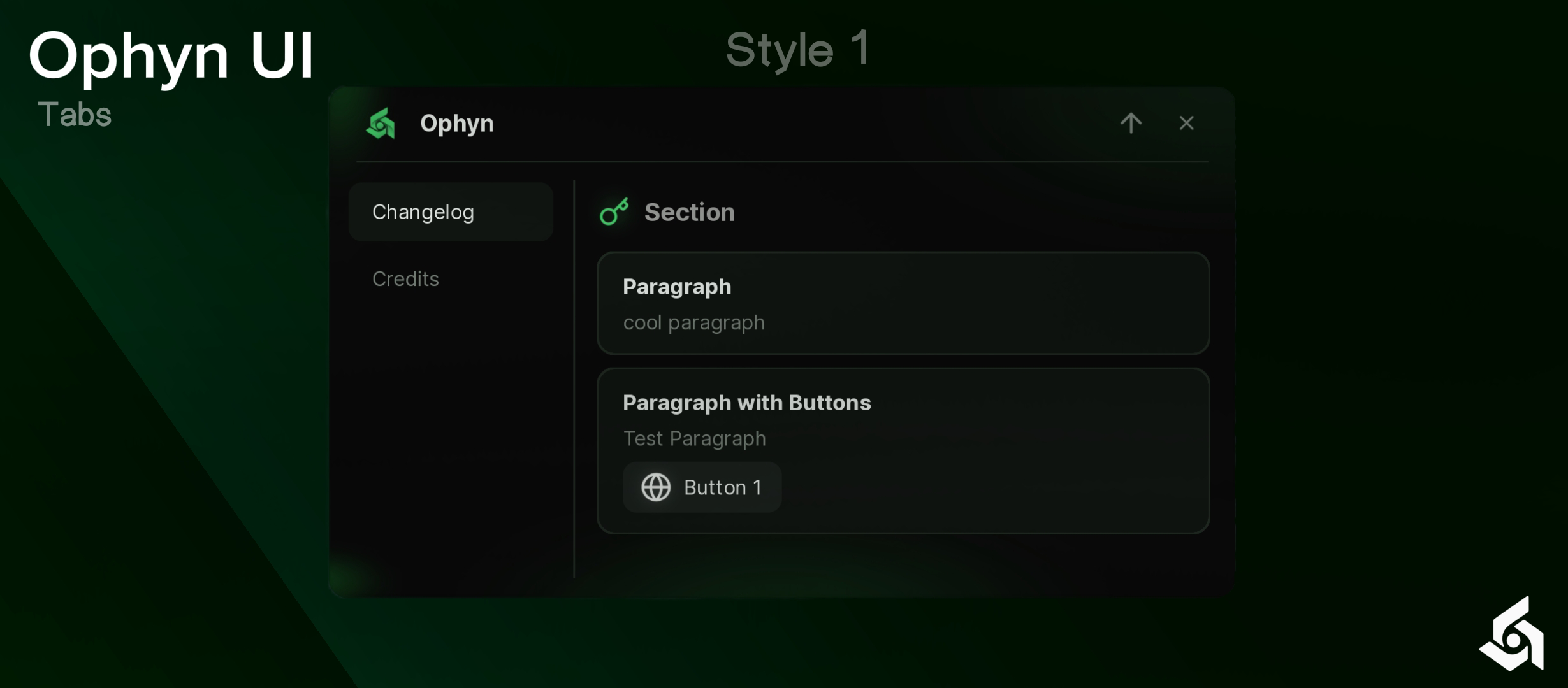
local Window = Ophyn.new({ Title = "Ophyn", Theme = "Plant-Dark", TabsStyle = "1",
Properties
Tab
Name shown on the Tab button.
Window({ Title = "Main" })Icon shown before the name. Use a Lucide icon name, an asset id string or just the number. Leave it out for a Tab without icon.
Window({ Title = "Main", Icon = "house" })Section
Text of the Section. It is drawn a little larger and slightly transparent, with the icon (if any) before it.
Tab:Section({ Title = "Welcome" })Icon shown before the Section title. Accepts the same values as the Tab icon.
Tab:Section({ Title = "Welcome", Icon = "sparkles" })Paragraph
Bold first line of the Paragraph. Leave it empty to hide it.
Tab:Paragraph({ Title = "Paragraph" })Description shown under the title. It wraps to as many lines as it needs. Leave it empty to hide it.
Tab:Paragraph({ Desc = "Test Paragraph" })Paints the whole Paragraph and switches its text to a contrasting color. Use a color name, a hex string or a Color3. Leave it empty to follow the theme.
Tab:Paragraph({ Title = "Danger", Color = "Red" })List of buttons shown at the bottom of the Paragraph. Each button is a table with Icon, Title and Callback. Callback runs in its own thread, so an error in it never breaks the window.
Buttons = {
    { Icon = "copy", Title = "Button 1", Callback = function() end },
}Icon of a button, drawn before its text. Accepts the same values as the Tab icon.
Text of a button.
Function called when the button is clicked.
Methods
Tab
Selects the Tab. The first Tab you create is selected automatically. Returns the Tab.
Tab:Select()Adds a Section to the Tab and returns it. See the Section properties above.
Adds a Paragraph to the Tab and returns it. See the Paragraph properties above.
Section
Changes the text of the Section. Returns the Section.
local Section = Tab:Section({ Title = "Old" })
Section:SetTitle("New")Removes the Section from the Tab.
Paragraph
Changes the title. An empty text hides the title line. Returns the Paragraph.
Paragraph:SetTitle("Done")Changes the description. An empty text hides the description line. Returns the Paragraph.
Paragraph:SetDesc("Everything is ready.")Removes the Paragraph from the Tab.